Application lifecycle management
AI-powered end-to-end software automation for analysis, design, implementation, testing, DevOps, and maintenance of software and hardware–software systems.

Transparent, controlled software and hardware delivery
Shipping quality products takes many specialists, a stream of intermediate and final artifacts, and tight control of scope, time, and budget. Without the right platform, that coordination is nearly impossible.
One place for
projects dataBuilt-in tooling
for every roleOne cockpit
for deliveryCompleteness and integrity
of specifications
Key capabilities

ALM records, systematizes and develops all types of requirements: primary and formalized.
The system provides tools for assessing and planning the implementation of requirements, monitoring the completeness and integrity of the designed system, and implements a mechanism for analyzing the impact of changes, including estimating the cost of changes.
Built-in approval and versioning tools allow you to organize a controlled process of taking into account user requirements in the implemented system.

ALM contains the necessary tools for the work of architects, UI designers, developers, in terms of preparing low-level models, layouts and other design artifacts.
Built-in capabilities for modeling and taking into account design elements at various design levels allow you to organize communication between all project participants, prepare comprehensive and consistent documentation, both for the needs of the project team and for the purposes of the customer or regulatory authorities.

ALM supports the work of architects, software and hardware developers, DevOps engineers and other technical specialists.
Integration with source code version control and code review systems allows you to automate the linking of tasks with requirements, provide an overview of the release content at the lowest level, and automate the life cycle of development tasks.

ALM provides comprehensive tools for validating and verifying requirements and products.
The built-in test management system allows you to prepare test documentation for various types of testing, fill out manual test reports, import reports from automated testing tools, and visualize quality reports.
Integration with CI/CD tools allows for manual management of test environments, launching automated tests and targeted retesting.

ALM simplifies the preparation and maintenance of output operational documentation.
The built-in subsystem for developing operational documentation based on requirements allows you to create output documentation for products. There are various options for uploading to external formats, including preparing a separate website with documentation and built-in contextual search. Built-in localization mechanisms allow you to develop documentation in multiple languages.

ALM provides comprehensive information about builds, versions, test environments, test results, and more.
The system can generate release notes, visualize build status and contents, trigger builds, and provision test environments through integrations with your CI/CD stack.

The release of a quality product is not possible without feedback from users.
A built-in support portal hosts self-service articles for your product users. When self-help is not enough, users can open requests on the web or by email—tickets route to support engineers and, when needed, to development for resolution. Users can rate the quality of support they receive.

Built-in MCP server for integration with AI agents to perform custom AI tasks
Built-in RAG for searching design artifacts by meaning, based on integration with remote and local LLMs.
Built-in AI functions for text improvement, auto-generation of models, semantic analysis and markup of design artifacts, automation of tracing construction, etc.

Advantages
Openness
The modular architecture of Engio ALM allows the development of ALM functionality by independent developers and members of project teams. The REST API provides full access to project data to implement any integration tasks.Versatility
Engio ALM supports any iterative-incremental processes: “Waterfall”, Scrum, Kanban, Scrumban, as well as arbitrary combinations of them; each project can be configured individually.Seamless
Unlike homemade solutions built on the integration of products from different manufacturers, Engio ALM implements a single, seamless product in which all aspects of software development are carefully supported and automated by built-in tools.
How we compare to other tools
Teams migrating to Engio ALM frequently replace Siemens Polarion, HP ALM, PTC codeBeamer, IBM Rational, Microsoft TFS, Jira with Confluence and plugins, or Redmine with plugins. Email us and we will share detailed comparison matrices for the stack you use today.
Powered by the Engio software platform
The Engio platform is a modular system for automating the lifecycle of software products and hardware–software systems.
It integrates with specialized tools for design, automated testing, build and release, source control, and developer environments.
- 01
Simple and complex projects
- 02
Resource accounting and planning
- 03
Access control for engineering artifacts
- 04
Integration with related systems via REST API
- 05
Deep integration with AI
- 05
Extensibility
Cost and licensing
Support for the entire software development life cycle
Engio ALM pricing depends on team composition and team count. Unlike many alternatives, you pay only for editor roles (analysts, testers, etc.); all other participants use the platform at no additional cost.

The companies successfully use Engio ALM
Support for development and implementation processes within IT departments
Product news
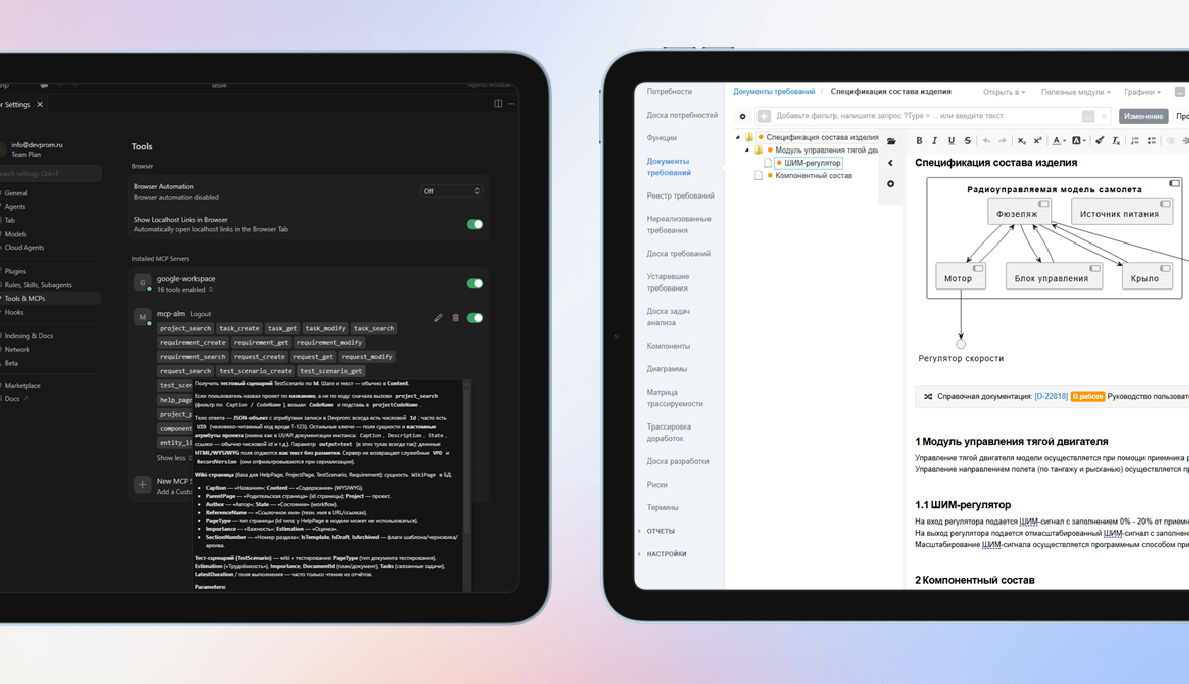
3.24. MCP server, RAG, forms
Semantic search for duplicates, analogs, and impact analysis using the built-in RAG engine with remote and local LLMs. A built-in MCP server hooks into AI agents and automates custom AI workflows. Rules can drive field visibility and required fields from other attribute values on forms. Saved custom filters speed up recurring queries. Bulk-create and bulk-remove traces between engineering artifacts.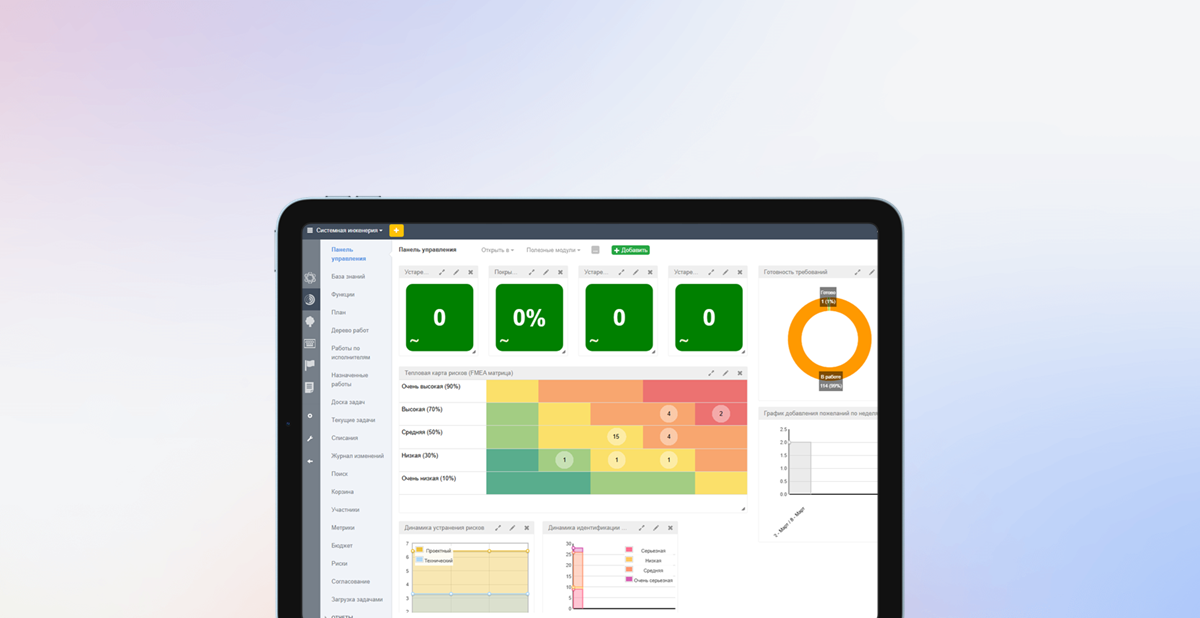
3.23. Risks and work calendar
Risk management adds a register, classification, links from risks to requirements, heat maps, and tracking of how risk parameters change over time. A Recycle Bin lets you park sensitive artifacts instead of deleting them outright. Calendars and work schedules fine-tune user and team availability so SLAs, shifts, and lifecycle metrics stay accurate.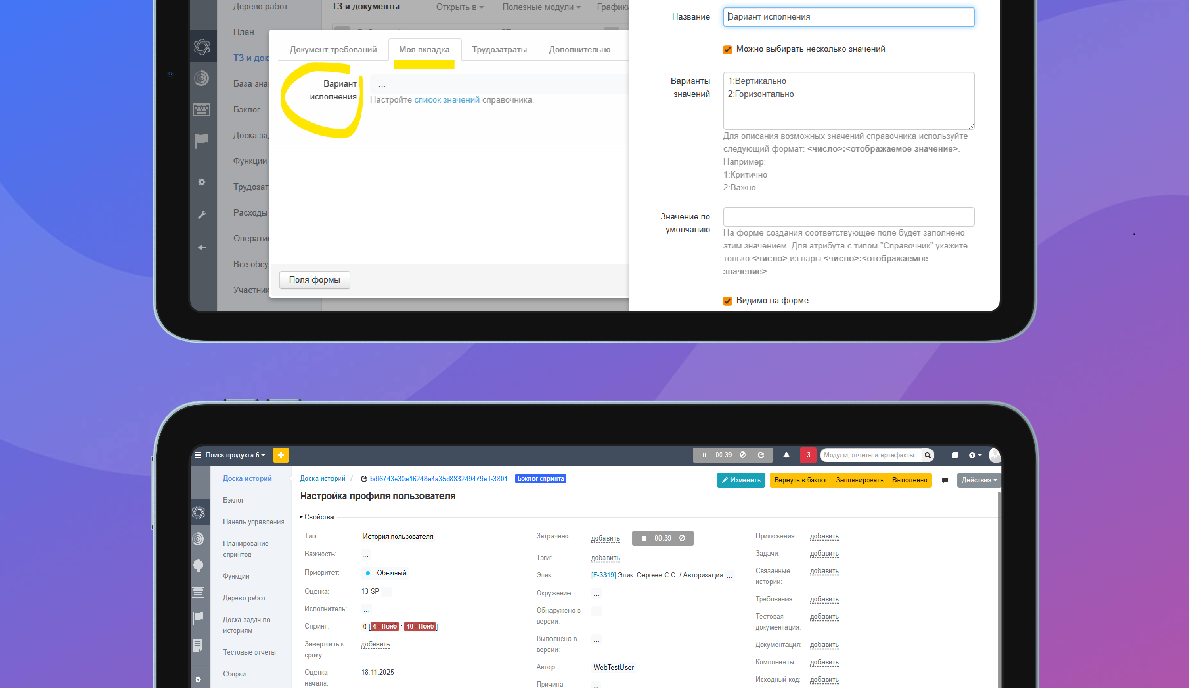
3.22. Working time countdown
Built-in timers capture effort when you switch tasks or complete test reports. Custom tabs organize system and user attributes on forms. Hierarchical iterations support arbitrarily deep plans, while dependencies between iterations keep rolling plans in sync with less manual work.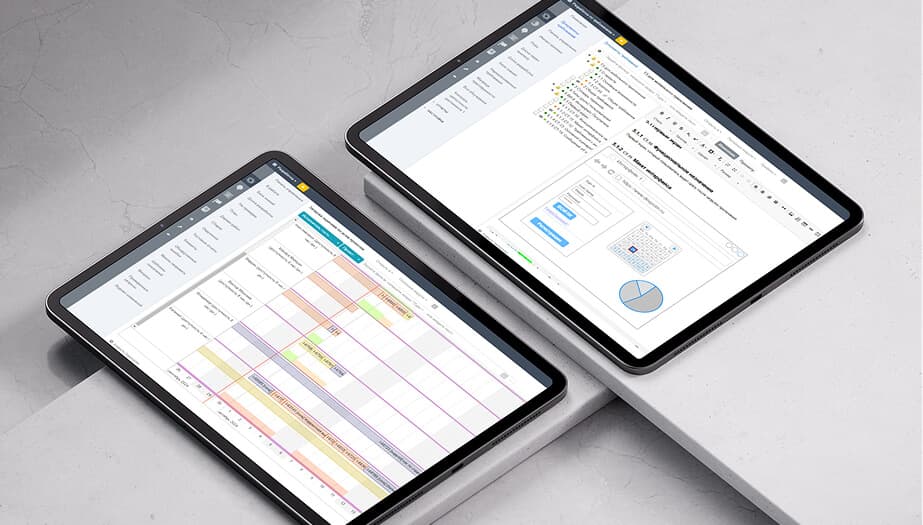
3.21. Project tree
The project tree summarizes large, deeply nested structures. New layout options include right-hand lists and grouping links into folders. Plan vs. actual analytics and historical charts (e.g., story and task owners) are easier to build. Documentation tables can pull parameters from the section where they are embedded. Git access now supports SSH keys.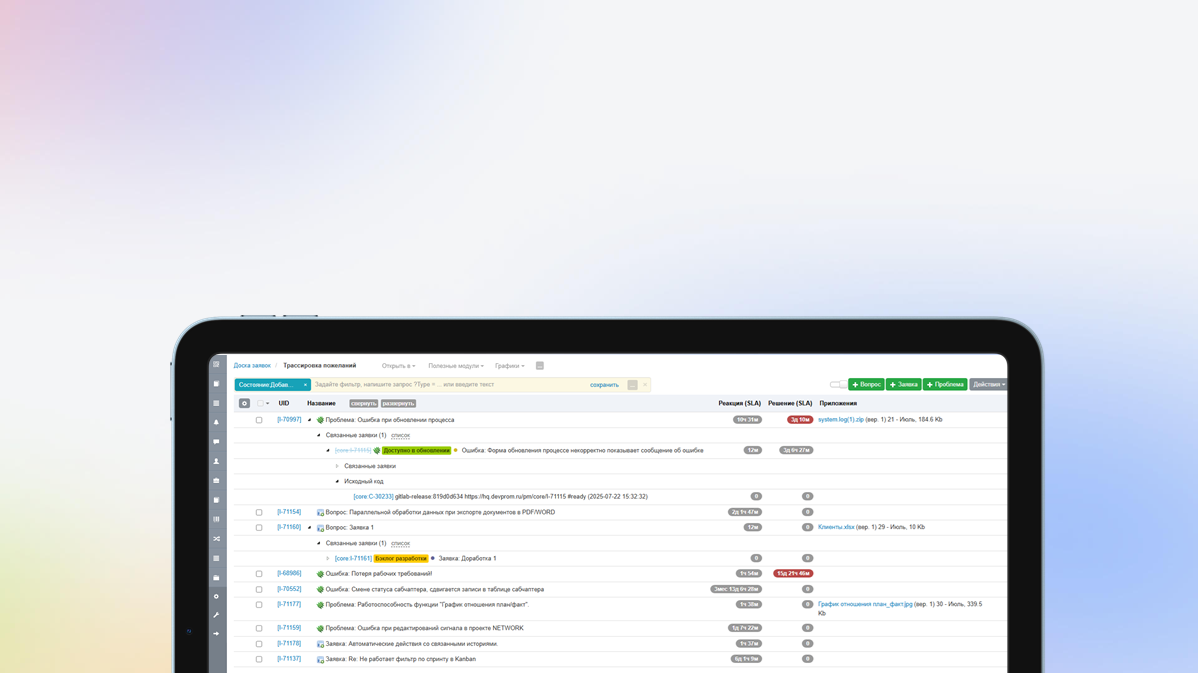
3.20. Hierarchical master data
In this version, users can create their own hierarchical directories, common to all projects or with their own data for each project. A new type of custom attribute has been added - File, which allows you to attach files to any entities. Implemented automatic authentication using domain login, without prior import of accounts. Added multiple selection of rows in views using Shift. Added the ability to link multiple commits to a build and much more...
3.19. PostgreSQL support
In addition to the DBMS, MySQL and MariaDB added support for PostgreSQL. The DBMS is selected when installing the application. Scripts for migration from MariaDB to PostgreSQL are also provided. Improved performance and UX of comparing and merging baselines/requirements branches. Added support for links in UML and Draw.io diagrams. Added the ability to perform a targeted search for data in drop-down lists using search queries. Improved automation capabilities - setting valuescalculated based on formulas and much more...3.18. Automatic charts
Use automatic creation of class and component diagrams based on the component hierarchy, insert diagrams into documents. Use dashboards parameterized by a specific artifact, for example, test results by version for a specific test plan. Use visualizations of requirements versioning and other documentation to better understand branching. Connect S3-compatible storage to store binary project artifacts.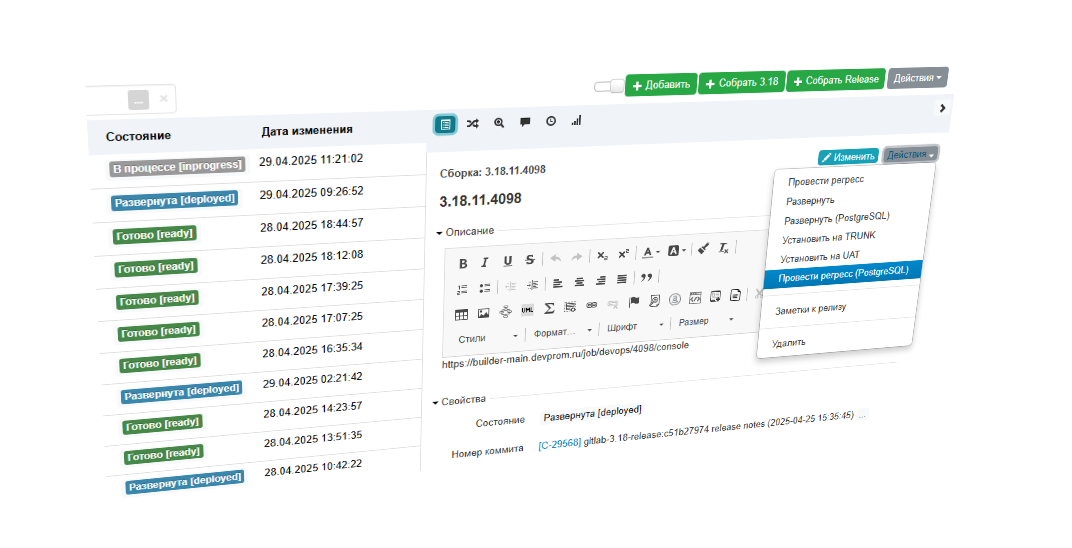
3.17. Custom Actions
Apply custom actions on project artifacts - execute scripts and send webhooks, for example, to run CI/CD tasks: running autotesting, creating assemblies, deploying, etc. Configure artifact UIDs in a convenient way using counters and calculated fields. Send any important reports via email on a scheduled basis. Keep records of employee absences and vacations to get a realistic project plan.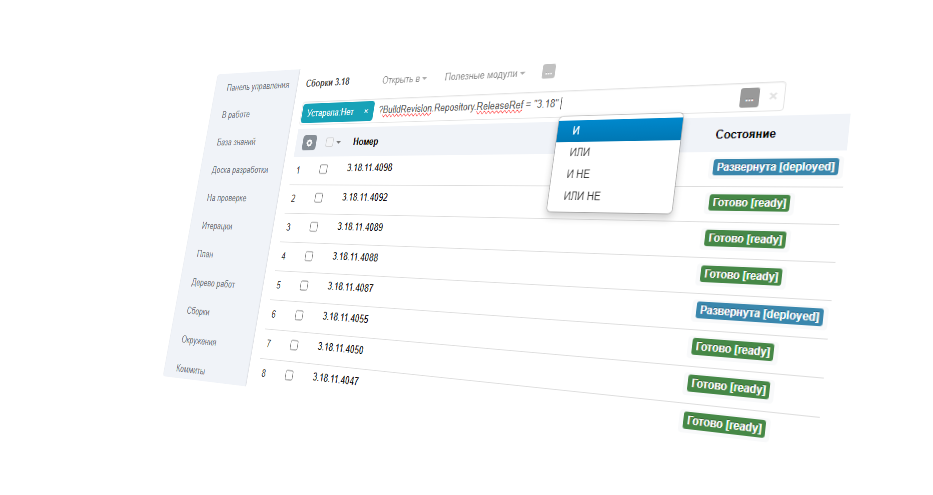
3.16. Built-in query language
To create arbitrary data samples in modules, reports and charts, use a flexible query language. Use more complex prioritization mechanisms such as WSJF (weight-based prioritization). Insert custom reports and modules directly into documentation to dynamically generate tables, traces, etc. Customize the UI to suit your requirements - click on the attribute name to configure its visibility, mandatory requirements, default values, etc.3.15. Script automation
The unlimited customization possibilities of Engio ALM are implemented using script automation - a mechanism that allows you to execute an arbitrary script as a result of events, according to a schedule, as a validation of values, etc. You can modify any data and request data from any external sources. When working with documentation, use Terms; the system will highlight the term and provide a transcript for interested parties. Identify duplicate or similar requirements and dependencies on the Similar tab.FAQ
We have prepared detailed documentation for the software, as well as a number of videos that can be used to gain a general understanding of the product's capabilities. Additionally, together with our partners, we provide training and implementation services for ALM.
ALM consists of many components, but all of them do not require external dependencies, that is, they are deployed and work in a closed perimeter, without access to the Internet. We have prepared detailed deployment instructions that will help you install the software.
The system is not demanding on hardware and scales well when using an industrial cluster-based deployment option. We have prepared an article in which we talk in detail about server selection. Examples of our implementations demonstrate the stability and sufficient speed of the software under a load of 500 concurrent users.
Evaluate the possibilities Engio ALM right now
A fast way to explore the platform and confirm it fits your team and workflows.