Software maintenance management
AI-powered full-featured, cost-effective ITSM suite for software maintenance and IT asset management—built for enterprises.

One system for software and IT asset maintenance
Keeps work flowing between tiers of support, development, and operations; aligns the service desk with engineering; tracks materials, equipment, IT assets, and infrastructure; and maintains a full history of user requests and incidents.
Organizing feedback from users
Task management at all levels of technical support
Support for maintenance and development workflows
Requests, incidents, and IT assets in one database
Key capabilities

Contains self-help articles describing typical user actions based on semantic search and AI capabilities.
Submit requests, track status, collaborate on technical questions with support engineers, and rate the quality of support.
Convert Email into tickets and discussion threads.
Built-in integration with LDAP and other authentication systems.

Customizable table, tree and whiteboard views provide visibility and control over departmental tasks.
The built-in query language allows you to perform any data sampling necessary to solve problems, as well as build graphs and dashboards.
SLA control for response and resolution of requests, taking into account calendar settings and work schedules.

Traceability between requests, incidents, tasks and errors allows you to control the progress of work on requests at different levels of technical support and maintenance.
Resolving incidents involving multiple product or functional teams.

Routine tasks of classifying, decomposing, assigning and redistributing tasks across departments are performed using custom preconditions and automatic actions, as well as scripted automation tools.
Control of SLAs tied to clients, contracts, functionality, priorities, etc.
AI functions for automatic classification and dispatch of requests.

All infrastructure elements (servers, microservices, etc.), IT assets (licenses, contracts, etc.) are described and stored in tree registries and can be associated with user requests.
Automation of inventory, control of license expiration, etc.

Built-in MCP server for integration with AI agents to perform custom AI tasks
Built-in RAG for searching design artifacts by meaning, based on integration with remote and local LLMs.
Built-in AI functions to improve text, identify duplicates, and prepare solutions based on previous queries and documentation.

The software is multilingual.
Customize the support portal look and feel, email templates, user directories, attributes, and relationships.

Advantages
Seamless
Engio ITSM combines a tightly integrated knowledge base, customer-facing support portal, and development task management in one product.Flexibility
All elements of the system, starting from the appearance and ending with the information model, are flexibly customized to the characteristics of the user’s process. Script automation and open modular architecture remove any barriers to customization.Transparency
On the one hand, the data is localized within the department’s workspace, and on the other hand, it is available in cross-project views (portfolios and project programs). At any level of management, the system ensures absolute transparency of what is happening.
How we compare to other tools
Engio ITSM is a practical replacement for Jira Service Management, HP Service Manager, OTRS, OMNITRACKER, Freshservice, Zendesk, NinjaOne, and similar stacks.
Powered by the Engio software platform
The Engio platform is a modular system for automating the lifecycle of software products and hardware–software systems.
It integrates with specialized tools for design, automated testing, build and release, source control, and developer environments.
- 01
Simple and complex projects
- 02
Resource accounting and planning
- 03
Fine-grained access to project artifacts
- 04
Integration with related systems via REST API
- 05
Deep integration with AI
- 06
Extensibility
Cost
and licensing
The companies successfully use Engio ITSM
Support for software maintenance processes within organizations is provided
Product news
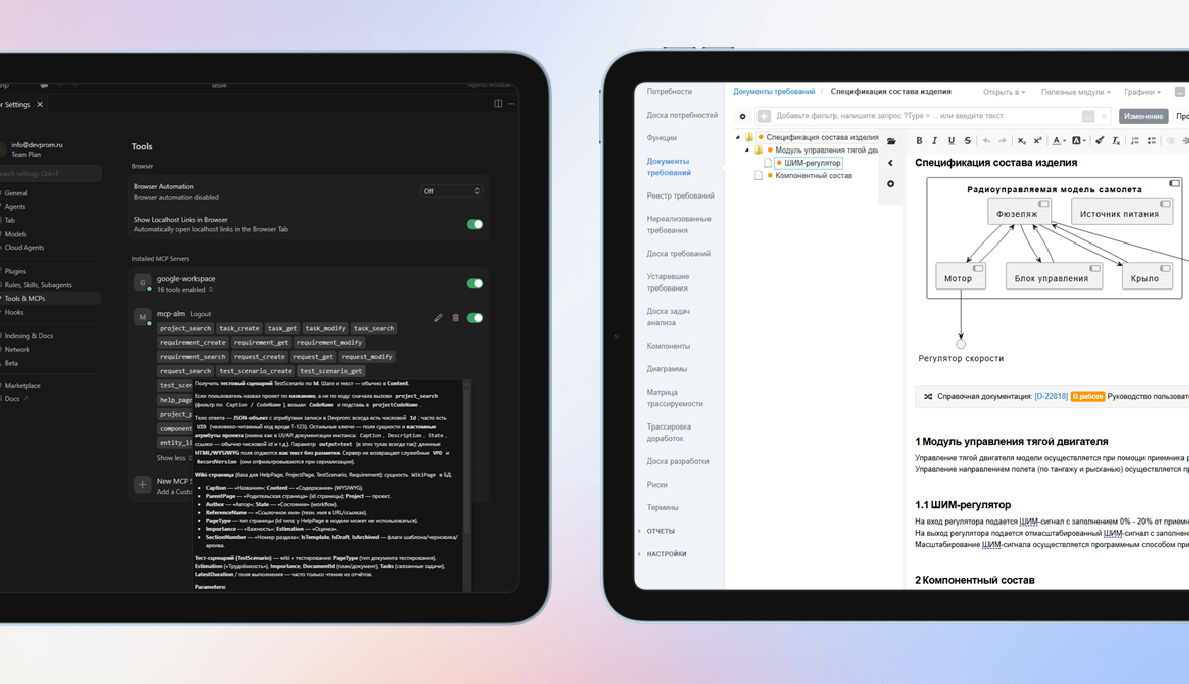
3.24. MCP server, RAG, forms
Semantic search for duplicates, analogs, and impact analysis using the built-in RAG engine with remote and local LLMs. A built-in MCP server hooks into AI agents and automates custom AI workflows. Rules can drive field visibility and required fields from other attribute values on forms. Saved custom filters speed up recurring queries. Bulk-create and bulk-remove traces between engineering artifacts.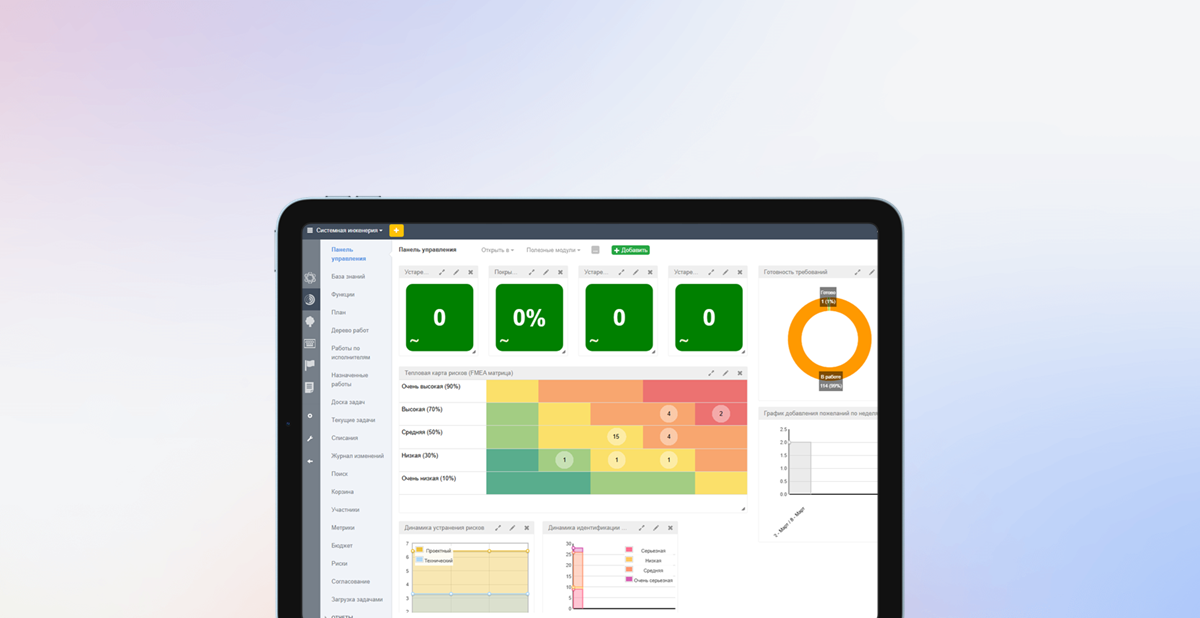
3.23. Risks and work calendar
Risk management adds a register, classification, links from risks to requirements, heat maps, and tracking of how risk parameters change over time. A Recycle Bin lets you park sensitive artifacts instead of deleting them outright. Calendars and work schedules fine-tune user and team availability so SLAs, shifts, and lifecycle metrics stay accurate.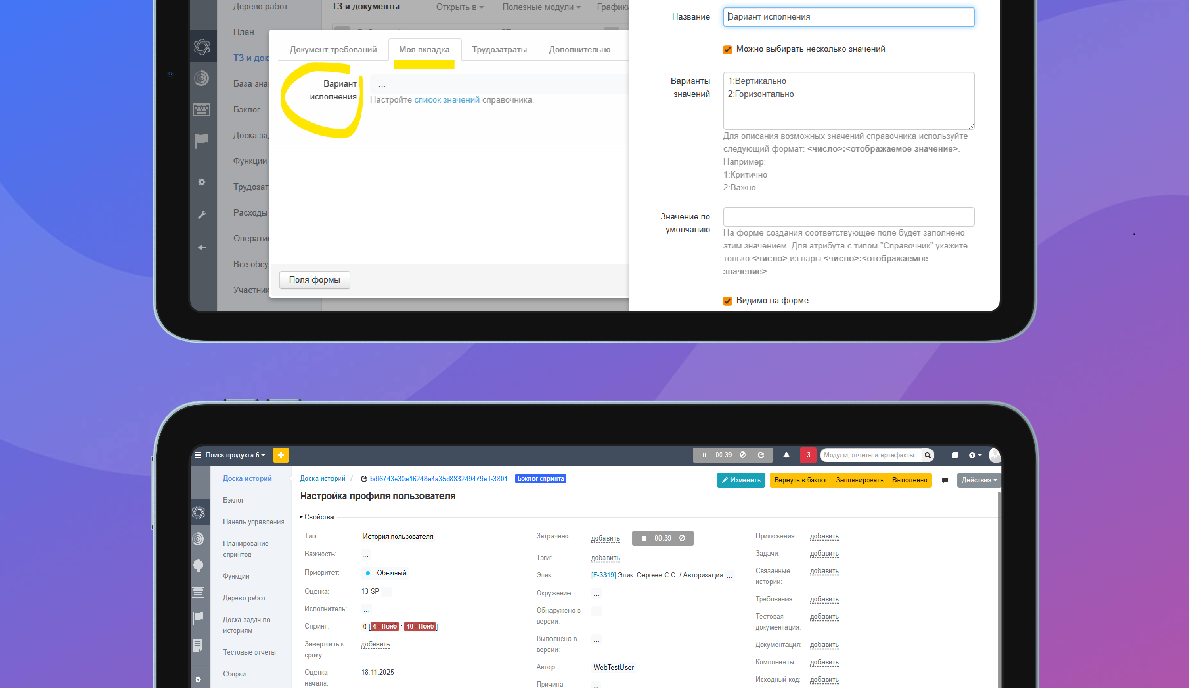
3.22. Working time countdown
Built-in timers capture effort when you switch tasks or complete test reports. Custom tabs organize system and user attributes on forms. Hierarchical iterations support arbitrarily deep plans, while dependencies between iterations keep rolling plans in sync with less manual work.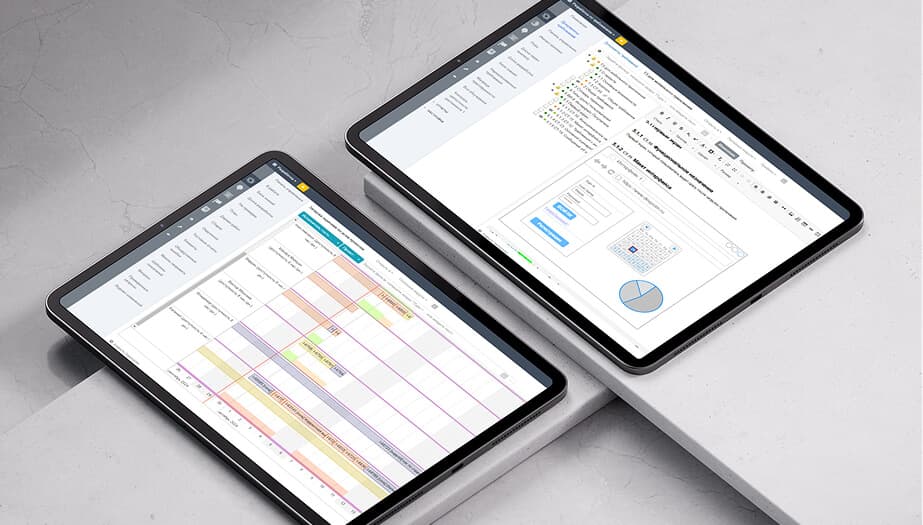
3.21. Project tree
The project tree summarizes large, deeply nested structures. New layout options include right-hand lists and grouping links into folders. Plan vs. actual analytics and historical charts (e.g., story and task owners) are easier to build. Documentation tables can pull parameters from the section where they are embedded. Git access now supports SSH keys.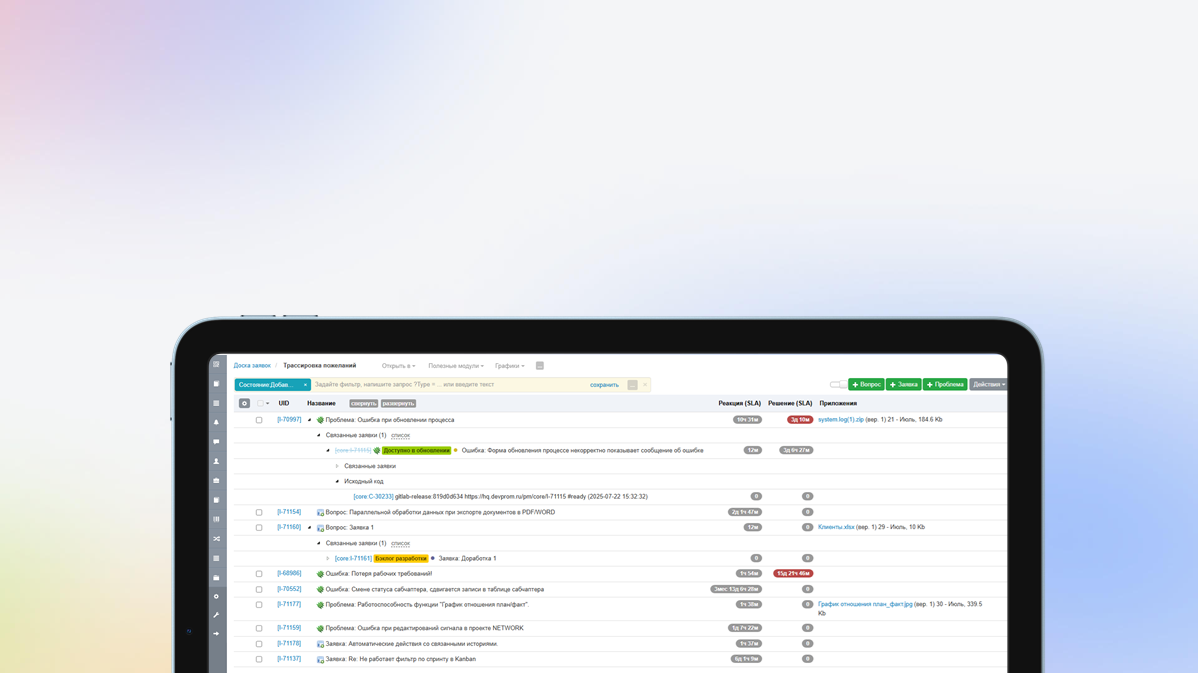
3.20. Hierarchical master data
In this version, users can create their own hierarchical directories, common to all projects or with their own data for each project. A new type of custom attribute has been added - File, which allows you to attach files to any entities. Implemented automatic authentication using domain login, without prior import of accounts. Added multiple selection of rows in views using Shift. Added the ability to link multiple commits to a build and much more...
3.19. PostgreSQL support
In addition to the DBMS, MySQL and MariaDB added support for PostgreSQL. The DBMS is selected when installing the application. Scripts for migration from MariaDB to PostgreSQL are also provided. Improved performance and UX of comparing and merging baselines/requirements branches. Added support for links in UML and Draw.io diagrams. Added the ability to perform a targeted search for data in drop-down lists using search queries. Improved automation capabilities - setting valuescalculated based on formulas and much more...3.18. Automatic charts
Use automatic creation of class and component diagrams based on the component hierarchy, insert diagrams into documents. Use dashboards parameterized by a specific artifact, for example, test results by version for a specific test plan. Use visualizations of requirements versioning and other documentation to better understand branching. Connect S3-compatible storage to store binary project artifacts.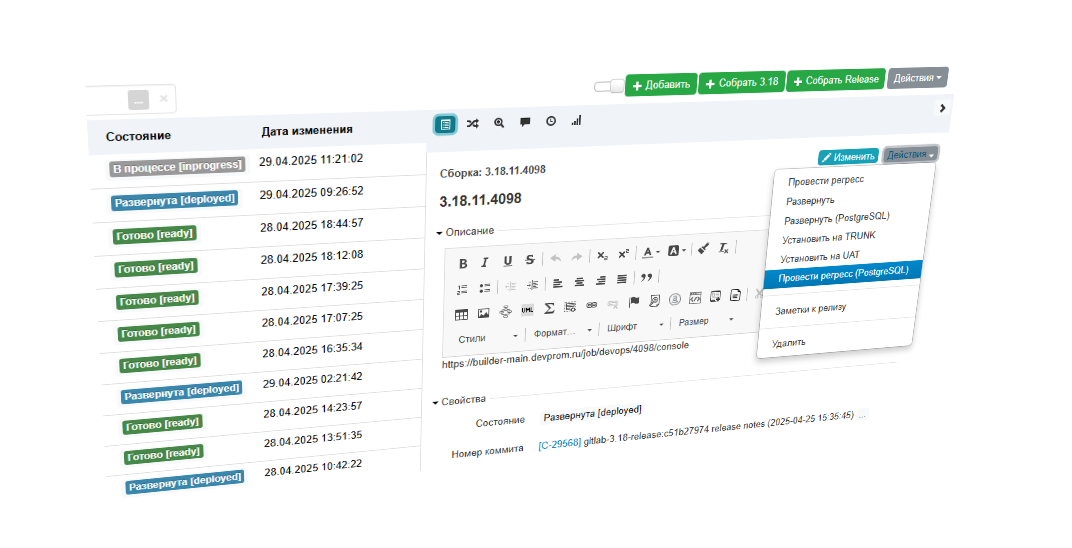
3.17. Custom Actions
Apply custom actions on project artifacts - execute scripts and send webhooks, for example, to run CI/CD tasks: running autotesting, creating assemblies, deploying, etc. Configure artifact UIDs in a convenient way using counters and calculated fields. Send any important reports via email on a scheduled basis. Keep records of employee absences and vacations to get a realistic project plan.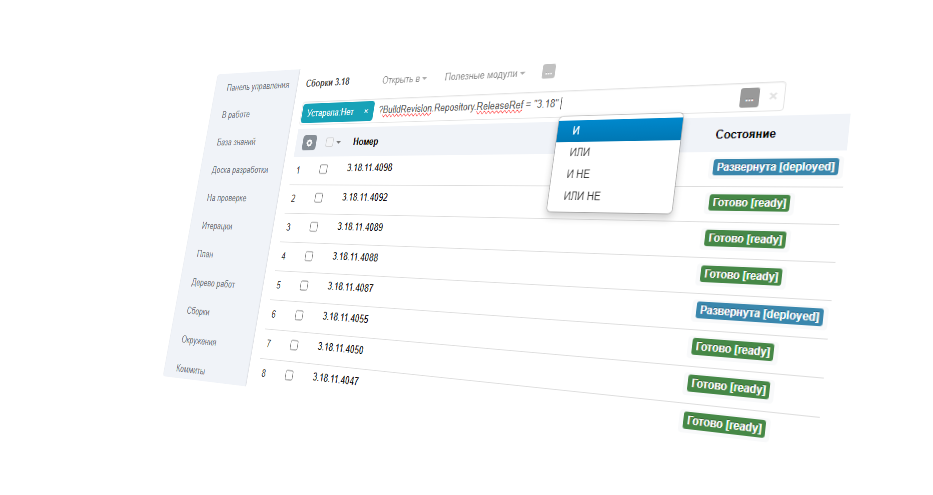
3.16. Built-in query language
To create arbitrary data samples in modules, reports and charts, use a flexible query language. Use more complex prioritization mechanisms such as WSJF (weight-based prioritization). Insert custom reports and modules directly into documentation to dynamically generate tables, traces, etc. Customize the UI to suit your requirements - click on the attribute name to configure its visibility, mandatory requirements, default values, etc.3.15. Script automation
The unlimited customization possibilities of Engio ALM are implemented using script automation - a mechanism that allows you to execute an arbitrary script as a result of events, according to a schedule, as a validation of values, etc. You can modify any data and request data from any external sources. When working with documentation, use Terms; the system will highlight the term and provide a transcript for interested parties. Identify duplicate or similar requirements and dependencies on the Similar tab.FAQ
Engio ITSM has built-in integration capabilities with various trackers, for example, JIRA, Redmine, YouTrack and others, and requests are automatically transferred in the form of tasks to your tracker using built-in integration components.
Data is returned including labor intensity, task status, and performer comments. The developed REST API allows you to enter and retrieve any stored data.
The Engio ITSM software support system implements all the main scenarios for technical support and IT asset management, but the focus is on software development and seamless integration with the subsystem for collecting and processing user requests.
There are many specialized solutions on the market that fully implement methodologies such as ITIL or COBIT. Such systems are used to support service departments and large IT departments; they are more expensive and difficult to implement and train.
The implementation of Engio ITSM is usually divided into two stages - trial operation and production use. At the trial operation stage, the capabilities of Engio ITSM are studied based on the demo data included in the distribution kit.
Once the system is configured and product expertise is transferred to your employees, you can fully use the software, conduct internal training and prepare work instructions, if necessary.